Infinite Grid
Spent too long staring at Godly's infinite gallery. Opened DevTools. Didn't stop until I'd rebuilt the whole thing from scratch.
↳ Published 17 April 2026
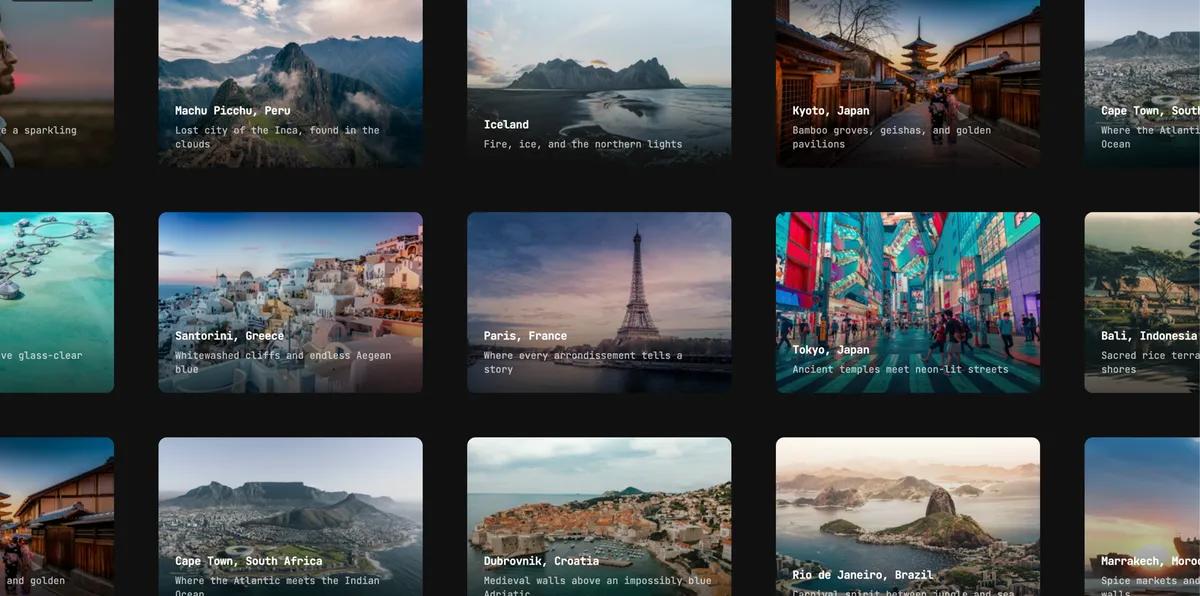
I built this after spending too long staring at Godly. Their gallery of sites scrolls in every direction, never runs out of cards, and never adds a single DOM node as you move. I wanted to know exactly how — so I opened DevTools, wired up Claude in Chrome for automated inspection, and went digging.
This is the story of what I found, how the grid works, and everything that went wrong building it.
What I found inside Godly’s DOM
The DOM structure is deceptively simple. At the root there’s a fixed full-screen container. Inside it lives a single canvas div, and every card is a direct child of that canvas:
<div style="position:fixed; inset:0; overflow:hidden; cursor:grab">
  <div style="position:absolute; left:50%; top:50%; transform:translate3d(-1024px, 312px, 0); will-change:transform">
    <div style="position:absolute; transform:translate3d(-848px, -578px, 0); margin:-144.5px 0 0 -212px; width:424px; height:289px">
      …card content…
    </div>
    <div style="position:absolute; transform:translate3d(-424px, -578px, 0); margin:…">…</div>
    …143 more divs…
  </div>
</div>
A few things jumped out immediately:
- The canvas is anchored at
left: 50%; top: 50%, not at0, 0 - There are exactly 143 card divs regardless of how far you’ve scrolled — always the same number
- Each card uses
translate3dfor its position, with negative margins to center it on its grid slot will-change: transformon the canvas
That last point — the fixed 143 cards — is the whole trick. Let me explain why.
Why the DOM doesn’t grow as you scroll
The naive approach to an infinite grid is to add new cards as the user scrolls and remove the ones that are off-screen. You’d manage a growing list of elements, track which items have been rendered, handle cleanup. It works, but it’s expensive and complex.
Godly doesn’t do this. Instead they maintain a fixed pool of card slots. The grid is 13 columns × 11 rows = 143 slots — just enough to tile the viewport with a one-card buffer on every side. When a slot scrolls off-screen, it doesn’t get removed. It teleports to the opposite edge and gets new content assigned.
This is card slot recycling, and it means the DOM size is constant no matter how far you’ve panned.
Initial state — 143 slots fill viewport + buffer:

  [A] [B] [C] [D] [E] [F] [G] [H] [I] [J] [K] [L] [M]
  [N] [O] [P] [Q] [R] [S] [T] [U] [V] [W] [X] [Y] [Z]
  ...

After panning right — slot [A] exits left edge, teleports to right:

      [B] [C] [D] [E] [F] [G] [H] [I] [J] [K] [L] [M] [A′]
      [O] [P] [Q] [R] [S] [T] [U] [V] [W] [X] [Y] [Z] [N′]
      ...

A′ and N′ are the same DOM nodes as A and N, now showing different content.
The left: 50%; top: 50% anchor trick
The canvas is positioned at left: 50%; top: 50%, which places it at the viewport center. To pan the grid, you apply a translate3d to the canvas itself — every card moves with it.
Why center it instead of left: 0; top: 0? Because of the recycling math. When you need to check whether a card has gone off-screen, you need its screen position — where it actually appears in the viewport. With a centered canvas, the formula is:
screenX = viewportWidth/2  +  canvasOffset.x  +  card.col × CELL_WIDTH
screenY = viewportHeight/2 +  canvasOffset.y  +  card.row × CELL_HEIGHT
Without the vw/2, vh/2 terms, you’d need to account for the canvas’s own origin offset everywhere — in the recycling check, in the coordinate reset, in debugging. Anchoring at center makes the math clean and symmetrical: a card at col: 0, row: 0 is always roughly at the viewport center, regardless of viewport size.
I got this wrong on my first attempt. I wrote:
// ❌ Wrong — canvas anchored at top-left, missing vw/2 and vh/2
const screenX = offset.x + slot.col * CARD_W;
Cards were teleporting while still on screen. The fix was simply adding the center offset:
// ✅ Correct
const screenX = vw / 2 + offset.x + slot.col * cellW;
translate3d and the GPU compositor
All card positioning uses transform: translate3d(x, y, 0) rather than left and top. This matters for performance.
When you change left or top, the browser triggers a layout recalculation — it has to figure out how the moved element affects everything around it. At 60fps with 143 cards, that’s thousands of layout passes per second.
translate3d is different. Transform changes don’t affect layout — the browser knows the element’s position in document flow hasn’t changed, so it skips layout and paint entirely. Combined with will-change: transform on the canvas, the browser promotes it to its own compositor layer. The GPU handles the movement; the CPU thread is free.
The result: moving a 143-card grid at 60fps costs essentially nothing on the main thread.
Building the slot pool
Before any rendering, we need to calculate how many slots to create. The formula:
const cols = Math.ceil(viewportWidth / cellW) + 4;   // +4 = 2 buffer slots per side
const rows = Math.ceil(viewportHeight / cellH) + 4;
The + 4 ensures cards don’t pop in from nothing at the edge — there’s always an off-screen row and column loaded ahead of the viewport.
Slots are centered around the origin. If we have 7 columns, the column indices run from -3 to +3:
function buildSlots(cols: number, rows: number, itemCount: number): Slot[] {
  const halfCols = Math.floor(cols / 2);
  const halfRows = Math.floor(rows / 2);
  const slots: Slot[] = [];
  let id = 0;
  for (let r = -halfRows; r <= halfRows; r++) {
    for (let c = -halfCols; c <= halfCols; c++) {
      slots.push({ id: id, col: c, row: r, itemIndex: id % itemCount });
      id++;
    }
  }
  return slots;
}
id is the slot’s permanent identity — it never changes. col and row change when a slot teleports. itemIndex tracks which piece of data the slot is currently showing.
The teleportation algorithm
This is the core of the engine. Every animation frame, we loop over all slots and check whether any of them have drifted off-screen. If one has, we teleport it:
const tick = () => {
  const { x, y } = offsetRef.current;
  const { cols, rows } = gridSizeRef.current;
  const vw = container.clientWidth;
  const vh = container.clientHeight;
  const bufX = cellW;  // one full cell of breathing room
  const bufY = cellH;

  let dirty = false;

  for (const slot of slotsRef.current) {
    const screenX = vw / 2 + x + slot.col * cellW;
    const screenY = vh / 2 + y + slot.row * cellH;

    // Right edge of card left of viewport → send to the right
    if (screenX + cw / 2 < -bufX) {
      slot.col += cols;   // jump by the full pool width
      slot.itemIndex = dataIdx++ % data.length;
      dirty = true;
    }
    // Left edge of card right of viewport → send to the left
    else if (screenX - cw / 2 > vw + bufX) {
      slot.col -= cols;
      slot.itemIndex = dataIdx++ % data.length;
      dirty = true;
    }

    // Same checks for Y…
  }

  // Apply canvas transform directly to the DOM — no React re-render needed for panning
  canvas.style.transform = `translate3d(${offsetRef.current.x}px,${offsetRef.current.y}px,0)`;

  // Only trigger a React re-render when slots actually changed
  if (dirty) forceRender(n => n + 1);

  rafRef.current = requestAnimationFrame(tick);
};
Two things that tripped me up here:
The teleport stride — slot.col += cols — must equal the actual distinct column count in the pool, not just cols. Because buildSlots uses Math.floor(cols / 2), the actual stride is 2 × floor(cols / 2) + 1. Using the raw cols value causes overlapping or gapped cards on the opposite side. I got this wrong initially too.
The dirty flag — the canvas transform is applied every frame via direct DOM mutation (canvas.style.transform = ...). This bypasses React entirely and is intentional: we don’t want React diffing 143 elements 60 times per second just to update a CSS string. We only call forceRender when slots actually changed their content — usually 2–4 teleports per frame during fast scrolling.
Why stable React keys matter
React uses keys to match old renders to new renders. If a slot’s key is its current position, React thinks a slot that just teleported is a completely different component — it unmounts the old one and mounts a new one. That’s slow, and it breaks any internal state the card component might have (image loading state, animations in progress).
The fix is obvious once you see it: key on the stable slot id, not on position:
// ❌ Wrong — key changes every teleport
slotsRef.current.map(slot => (
  <div key={`${slot.col}-${slot.row}`} …>

// ✅ Correct — id never changes
slotsRef.current.map(slot => (
  <div key={slot.id} …>
With stable keys, React sees the same 143 components every render. It just updates their transform — no mount/unmount, no DOM thrash.
The coordinate reset
After scrolling ~25,000 pixels, JavaScript’s floating-point numbers start losing precision. Small rounding errors in translate3d values accumulate and cards begin to drift fractionally out of alignment.
The fix is a periodic coordinate reset. When |offset.x| exceeds a threshold, we zero it out and compensate by shifting all slot positions by the same amount:
const threshold = 25_000;

if (Math.abs(x) > threshold) {
  // How many grid cells does this offset represent?
  const colShift = Math.round(x / cellW);
  offsetRef.current.x = 0;
  for (const slot of slotsRef.current) {
    slot.col += colShift;
  }
  dirty = true;
}
Because all positions update atomically within a single tick, the visual result is seamless. The cards appear to snap to a slightly different grid position, but since the canvas transform also resets to zero in the same frame, nothing actually moves on screen.
Input: wheel, drag, and the touch passive listener trap
Wheel input is the simplest. We register it as a native, non-passive listener so preventDefault works to suppress the browser’s default page scroll:
el.addEventListener("wheel", (e) => {
  e.preventDefault();
  offsetRef.current.x -= e.deltaX;
  offsetRef.current.y -= e.deltaY;
}, { passive: false });
Drag uses onMouseDown/onMouseMove/onMouseUp as React props. On mousedown we record the drag start offset:
const onMouseDown = (e: React.MouseEvent) => {
  dragRef.current = {
    active: true,
    startX: e.clientX - offsetRef.current.x,
    startY: e.clientY - offsetRef.current.y,
  };
};

const onMouseMove = (e: React.MouseEvent) => {
  if (!dragRef.current.active) return;
  offsetRef.current = {
    x: e.clientX - dragRef.current.startX,
    y: e.clientY - dragRef.current.startY,
  };
};
Touch has a trap. React’s synthetic onTouchMove is registered as a passive event listener at the React root since React 17. Calling e.preventDefault() inside it is silently ignored by the browser. On iOS Safari, this causes the browser to eventually claim the gesture for itself — the first drag works, the second doesn’t.
The fix is to register touchmove as a native non-passive listener via useEffect, exactly like the wheel handler:
useEffect(() => {
  const el = containerRef.current;

  const handleTouchMove = (e: TouchEvent) => {
    e.preventDefault();  // works here, unlike the React prop version
    if (!dragRef.current.active) return;
    const t = e.touches[0];
    offsetRef.current = {
      x: t.clientX - dragRef.current.startX,
      y: t.clientY - dragRef.current.startY,
    };
  };

  el.addEventListener("touchmove", handleTouchMove, { passive: false });
  return () => el.removeEventListener("touchmove", handleTouchMove);
}, []);
Remove onTouchMove from the JSX entirely. Keep onTouchStart and onTouchEnd as React props — they don’t call preventDefault and the passive restriction doesn’t affect them.
Momentum (fling) — on release, grab velocity from a rolling buffer of recent pointer positions and hand it off to the rAF loop to decay each frame:
// On mouseup/touchend — compute exit velocity from recent samples
const first = samples[0];
const last = samples[samples.length - 1];
const dt = last.t - first.t;
const frameMs = 1000 / 60;

velocityRef.current = {
  x: clamp((last.x - first.x) / dt * frameMs),
  y: clamp((last.y - first.y) / dt * frameMs),
};

// In the rAF tick — decay each frame
if (!dragRef.current.active) {
  const vel = velocityRef.current;
  if (Math.abs(vel.x) > MIN_VELOCITY || Math.abs(vel.y) > MIN_VELOCITY) {
    offsetRef.current.x += vel.x;
    offsetRef.current.y += vel.y;
    velocityRef.current = { x: vel.x * 0.95, y: vel.y * 0.95 };
  }
}
Props reference
| Prop | Type | Default | Description |
|---|---|---|---|
data | T[] | — | Data array to tile across the grid |
renderItem | (item: T, index: number, events?: SlotEvents) => ReactNode | — | Renders one card slot |
cardWidth | number | 380 | Card width in px |
cardHeight | number | 260 | Card height in px |
gap | number | 0 | Gap between cards in px |
repeat | boolean | true | When false, each item appears at most once |
coordResetThreshold | number | 25000 | Offset before coordinate reset |
onNearEnd | () => void | — | Fires when scrolled near the end of data — use to paginate |
className | string | — | Extra classes on the container |
renderItem runs inside a memoised callback — keep it stable with useCallback. The optional events argument lets you subscribe to enter/exit notifications from the rAF loop; these fire at up to 60fps so keep handlers lightweight.